Uzun süredir yapay zekâ platformlarından destek alarak geliştirdiğim temel bir BASIC yorumlayıcısı üzerinde çalışıyorum. Bu yorumlayıcıya yaZeka adını verdim.
yaZeka yalnızca BASIC komutlarını çalıştıran bir sistem değil; aynı zamanda trigonometrik işlemleri destekleyen, parantezli matematiksel ifadeleri doğru şekilde çözebilen bir hesap makinesi gibi de çalışıyor. Bu yönüyle hem klasik BASIC mantığını hem de gelişmiş matematiksel ifade işleme yeteneğini bir araya getiren bir yapı ortaya çıkmış oldu.
Projeyi denemek, incelemek ve geliştirmek isteyenler için Wokwi bağlantısını da aşağıda paylaşıyorum:
Wokwi bağlantısı:
https://wokwi.com/projects/444984063919244289
Matematiksel ifade desteği
yaZeka’nın en dikkat çekici özelliklerinden biri, matematiksel ifadeleri infix biçiminden postfix biçimine dönüştürerek hesaplayabilmesi. Bu sayede işlem önceliği, parantez yapısı ve fonksiyon kullanımı doğru biçimde yorumlanabiliyor.
Örneğin aşağıdaki ifadeyi doğrudan komut kutusuna yazarsanız, program sonucu anında hesaplayacaktır:
((sinh(10)*cos(pi/4)^e)/log(e*pi))/(pi^3)
İfadeyi yazmadan önce prec 15 komutunu girerseniz, hesaplama sonucunun virgülden sonra kaç anlamlı basamakla gösterileceğini belirleyebilirsiniz. Bu örnekte görmeniz gereken sonuç şu şekildedir:
148.650408170443483
İsterseniz bu sonucu farklı bir hesap makinesiyle de kontrol edebilirsiniz.
Değişken atama desteği
yaZeka ile matematiksel ifadeleri değişkenlere atamak da mümkün. Bu sayede yorumlayıcı yalnızca anlık hesaplamalar yapmak için değil, aynı zamanda daha düzenli ve programlama mantığına yakın kullanım için de uygun hâle geliyor.
Örneğin:
x=cos(pi/3)+sin(pi/5)
Bu tür bir kullanım, matematiksel işlemleri daha esnek ve tekrar kullanılabilir hâle getiriyor.
BASIC program örneği
Sistem klasik BASIC tarzında küçük programlar yazmaya da imkân veriyor. Örneğin aşağıdaki program, e sayısını yaklaşık olarak hesaplamak için kullanılabilir:
10 FOR I=1 TO 1000
20 R=(1+1/I)^I
30 NEXT I
40 PRINT R
Bu örnek, yorumlayıcının yalnızca tek satırlık işlemler için değil; döngü, değişken ve çıktı mantığı içeren BASIC programları için de kullanılabildiğini gösteriyor.
Projenin gelişim süreci
Aslında bu projeye yaklaşık üç yıl önce, ChatGPT’nin ilk çıktığı dönemlerde başlamıştım. O günden bugüne bu programı geliştirmeye devam ediyorum. Bu süreçte farklı yapay zekâ platformlarından yararlanarak projeyi adım adım bugünkü hâline getirdim.
Çalışmalarımın bir kısmını ChatGPT’de başlattım, daha sonra AI Studio’da devam ettirdim. Ortaya çıkan programı Claude’a vererek daha detaylı bir geliştirme yaklaşımı oluşturmaya çalıştım. Sonrasında bazı hataları düzeltmek için tekrar farklı araçlardan destek aldım. En son aşamada da hatalı sürümü Cursor ile yeniden işleyerek şu anki duruma ulaştırdım.
Bu üç yıllık süreç benim için yalnızca bir yazılım geliştirme deneyimi olmadı. Aynı zamanda yapay zekâların kod yazma, hata ayıklama ve proje geliştirme becerilerinin zaman içinde nasıl ilerlediğini birebir gözlemlediğim çok öğretici bir süreç oldu.
Donanım uyumluluğu
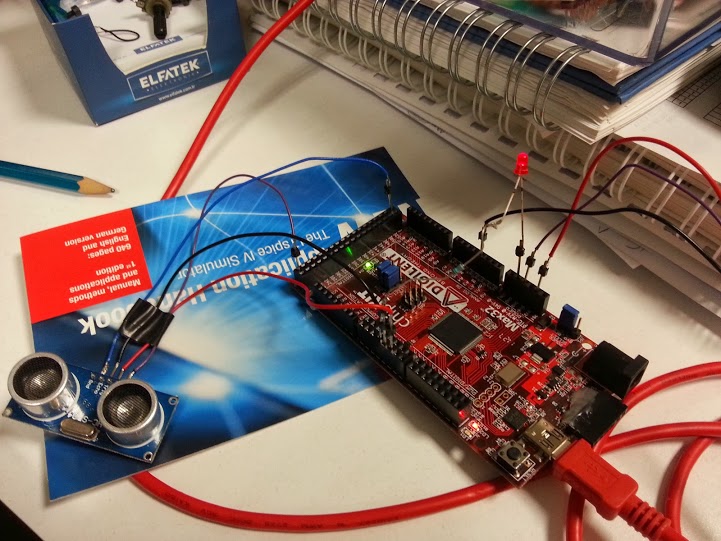
yaZeka yorumlayıcısı, Arduino ve ESP32 tabanlı donanımlar üzerinde çalışabilecek şekilde geliştirilmiştir. Bununla birlikte, sahip olduğu esnek yapı sayesinde istenildiğinde farklı işlemci mimarilerine de uyarlanabilir. Bu yönüyle yalnızca belirli bir donanımla sınırlı kalmayan, farklı gömülü sistem projelerine adapte edilebilecek bir altyapı sunmaktadır.
Sıradaki hedef: daha gelişmiş bir yorumlayıcı
Şu anda bu yapının üzerine çok daha gelişmiş yeni bir BASIC yorumlayıcısı geliştiriyorum. Yeni sürümün hem daha hızlı çalışmasını hem de gömülü sistemler üzerinde daha verimli kullanılabilmesini hedefliyorum.
Yeni sürümde yalnızca performans artışı hedeflemiyorum. Aynı zamanda, retro bilgisayarların BASIC komut setlerinden faydalı olabilecek komutları da yaZeka’ya eklemeyi planlıyorum. Hatta bu yeni yapı; C, PureBasic ve Liberty BASIC gibi dillerden de esinlenecek. Böylece gömülü sistemler üzerinde çalışabilecek, daha kapsamlı, daha esnek ve daha güçlü bir BASIC ortamı oluşturmayı amaçlıyorum.
Ayrıca yeni yorumlayıcının daha fazla komut desteklemesi, daha yüksek performans sunması ve daha esnek bir mimariye sahip olması için çalışmalarımı sürdürüyorum.
Geliştirme sürecinin büyük bölümünü Claude üzerinde yürütüyorum. Hedefim, mevcut yapının çok daha güçlü, daha hızlı ve daha yetenekli bir sürümünü ortaya çıkarmak.
Sonuç
yaZeka, uzun süredir emek verdiğim ve gelişimini heyecanla sürdürdüğüm bir proje. Hem BASIC yorumlayıcısı hem de matematiksel ifade çözücüsü olarak çalışabilmesi, bu projeyi benim için oldukça özel bir noktaya taşıyor.
Bu proje benim için yalnızca teknik bir çalışma değil; aynı zamanda yapay zekâ destekli yazılım geliştirmenin yıllar içinde nasıl değiştiğini ve olgunlaştığını gözlemlediğim kişisel bir deneyim de oldu.
Denemek, incelemek ya da fikir vermek isteyenler için proje bağlantısını tekrar bırakıyorum:
Wokwi:
https://wokwi.com/projects/444984063919244289
Görüş, öneri ve katkılara her zaman açığım.


 BeMelaB
You must be logged in to post a comment.